

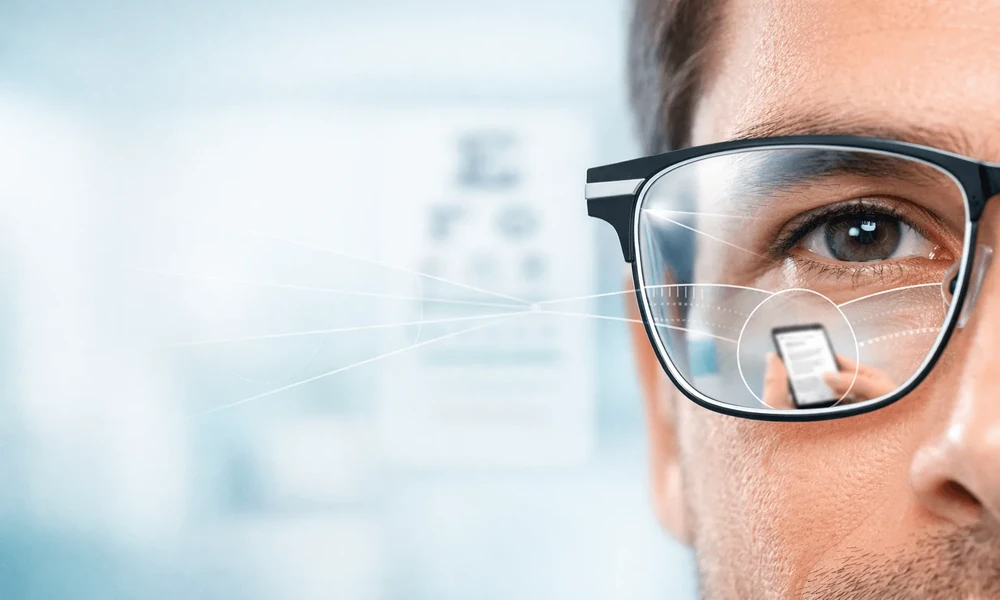
Clear vision is important in almost every part of daily life. You may need to read a message on your phone, check your laptop, look across the room, or drive home at night. For many adults, these simple tasks can become harder when near vision starts to change with age.
This is where progressive lenses can help. They are made to support clear vision at different distances without the visible line found in some older multifocal lens designs. Instead of switching between separate reading glasses and distance glasses, wearers can use one pair for many daily needs.
What Are Progressive Lenses?
Progressive lenses are multifocal lenses with different vision zones built into one lens. The upper part of the lens helps with distance vision. The middle area supports intermediate vision, such as looking at a computer screen. The lower part helps with near tasks, such as reading a book or checking a phone.
Unlike bifocal lenses, progressive lenses do not have a clear dividing line. The power changes in a smoother way from top to bottom. This gives the lens a cleaner look and can feel more natural once the wearer adjusts to it.
They are often recommended for people with presbyopia. Presbyopia is a common age-related change that makes it harder to focus on close objects. It often becomes more noticeable from the early to mid-40s.
Why Near Vision Changes Over Time
When people are younger, the lens inside the eye can change shape easily. This helps the eyes focus on objects at different distances. Over time, the lens becomes less flexible.
As this happens, close-up tasks may feel harder. Some people start holding their phone farther away. Others notice eye strain, headaches, or blurry print after reading for a while.
These changes do not mean something is wrong with your eyes. They are a normal part of ageing. However, the right eyewear can make everyday tasks easier and more comfortable.
How Progressive Lenses Help in Daily Life
One of the main benefits of progressive lenses is convenience. They allow the wearer to move between different tasks without changing glasses.
For example, someone may look up at a sign, check a message, then return to a laptop screen. With single-vision reading glasses, they may need to take glasses on and off. With progressives, the lens is designed to support these shifts in focus.
They can be useful for:
- Reading books, labels, and menus
- Using phones, tablets, and laptops
- Watching TV
- Driving
- Office work
- Shopping and errands
- Social settings where clear vision at different distances matters
This makes progressive lenses a practical choice for people with busy routines.
A More Natural Look Than Traditional Bifocals
Some people avoid bifocals because of the visible line across the lens. That line can make the lenses look older in style. It can also create a sudden jump in vision when the eyes move from one section to another.
Progressive lenses remove that visible line. The lens looks like a regular single-vision lens from the outside. This can be a good option for people who want both function and a modern look.
The smoother lens design may also support more natural viewing. Instead of moving between two fixed zones, the wearer has a gradual range of vision.
Helpful for Work and Digital Screens
Many people spend long hours using screens. A typical day may include checking emails, working on a computer, replying to messages, and reading digital documents.
Progressive lenses can help support vision across these distances. The middle area of the lens is useful for computer work, while the lower area helps with closer reading. Some lens designs are also made for people who spend more time on digital devices.
This is why lens choice should match the wearer’s lifestyle. A person who works at a desk all day may need a different lens design from someone who drives often or moves around for work.
Getting Used to Progressive Lenses
Progressive lenses can take time to get used to, especially for first-time wearers. This is normal. The eyes and brain need time to learn which part of the lens to use for each distance.
At first, some people may notice slight distortion at the sides of the lens. Others may need to adjust how they move their head when looking at objects. For example, it often helps to point the nose toward what you want to see instead of only moving the eyes.
A few simple habits can make the change easier:
- Wear the new glasses often instead of switching back and forth
- Move the head gently when looking to the side
- Lower the eyes to read
- Use the middle part of the lens for screens
- Give yourself time to adjust
Most people adapt better when their lenses are fitted well and matched to their daily needs.
Why Proper Fitting Matters
Progressive lenses must be measured with care. The position of the lens zones should match the wearer’s eyes, frame choice, posture, and normal viewing habits.
If the lens is not fitted well, the wearer may feel discomfort or may struggle to find the right viewing area. This is why a proper eye exam and lens consultation are important.
Frame choice also matters. Some frames may not give enough vertical space for the full lens design. A trained eye care professional can help choose a frame that works well with the lens type.
Choosing the Right Lens for Your Lifestyle
Not all progressive lenses are the same. Some are designed for first-time wearers. Others are made for people who spend long hours on digital screens. Some focus on wider viewing areas or smoother movement between distances.
When choosing lenses, it helps to think about your daily routine. Do you drive often? Do you use a laptop for many hours? Do you read small print? Do you move between indoor and outdoor settings often?
Spectacle Hut shares information on different lens types, including progressive lens options from lens brands such as Nikon. This can help customers better understand how lens designs may suit different needs, from everyday use to screen-heavy lifestyles.
Final Thoughts
Progressive lenses can make daily vision feel simpler by supporting clear sight at near, middle, and far distances. They remove the need to keep changing glasses and offer a cleaner look than traditional lined bifocals.
The right pair depends on your prescription, frame, lifestyle, and comfort needs. With proper fitting and the right guidance, progressive lenses can help make reading, working, driving, and daily movement feel clearer and easier.
